What do I do first in Shadowpitch?
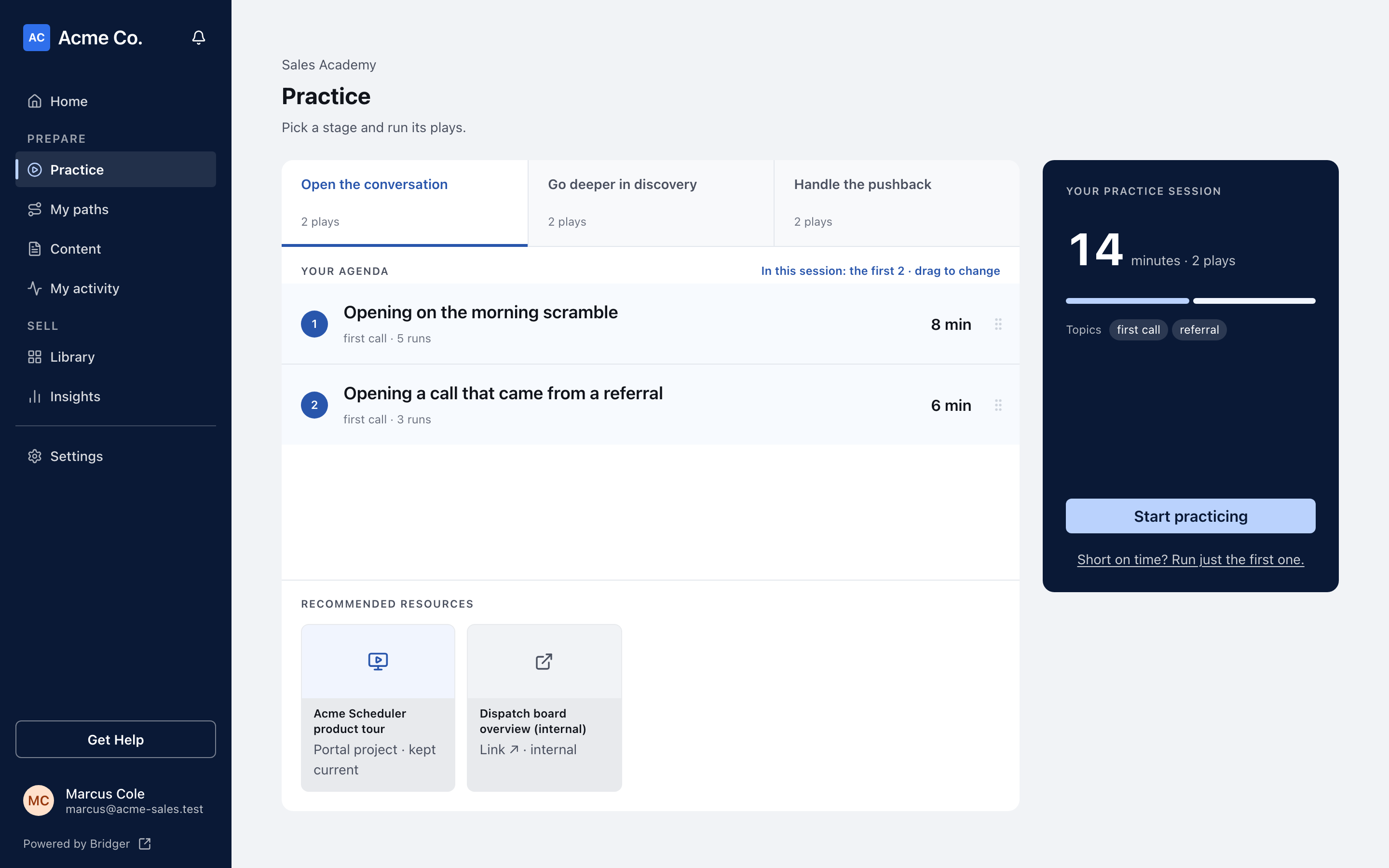
Sign in and start with what your manager put in front of you, under Prepare in the sidebar — a path under My paths, or a practice session on Practice.
Sign in to your workspace and start with what is already waiting for you under Prepare in the sidebar: a path your manager assigned under My paths, or a short practice session on Practice. Shadowpitch has no setup for a rep to do — everything you see was put there by your team's coach.
How do I get into Shadowpitch?
- Sign in with the 6-digit code from your invite email. If you have not signed in before, How do I sign in? walks through it.
- Click Practice under Prepare in the sidebar. On a phone, open More in the bar along the bottom of the screen.
- You land on Practice, the home of Shadowpitch. If nothing has been published or assigned to you yet, you land on My paths instead, which says Nothing assigned yet until your manager gives you a path.
If there is no Shadowpitch item in your sidebar at all, your workspace either does not have Shadowpitch turned on or you have not been given a rep seat yet. I can't see Shadowpitch explains which, and who can fix it.
What is on the Practice page?
The page is titled Practice, with a switch beside the title that has three sides:
| Side | What it holds |
|---|---|
| Sales stages | Every published play, grouped by where you are in a deal. Pick a stage and the plays in it become your agenda. Shown once your team has published plays. |
| My paths | The paths assigned to you, like onboarding, a new product or a certification, each with your progress. Finished paths stay here so you can come back to them. The number beside it is how many paths you are on. |
| Content | Everything your team has published, searchable in one list: plays, videos, documents, links and presentations, plus the buyers in the plays and your team's customer stories. |
Below the practice area, My paths lists the same assigned paths as cards, each with Not started, In progress or Completed and how many steps you have done.
A Coaching from … card, marked New, appears at the top of the right-hand column, above your session or path panel, when a manager has replied to a take you sent them. Click Open to read it. When more than one thing is waiting for you, the card shows one at a time; click +1 more for you (or however many there are) to see the rest. See How do I ask a manager for coaching?.
What if I don't have a path yet?
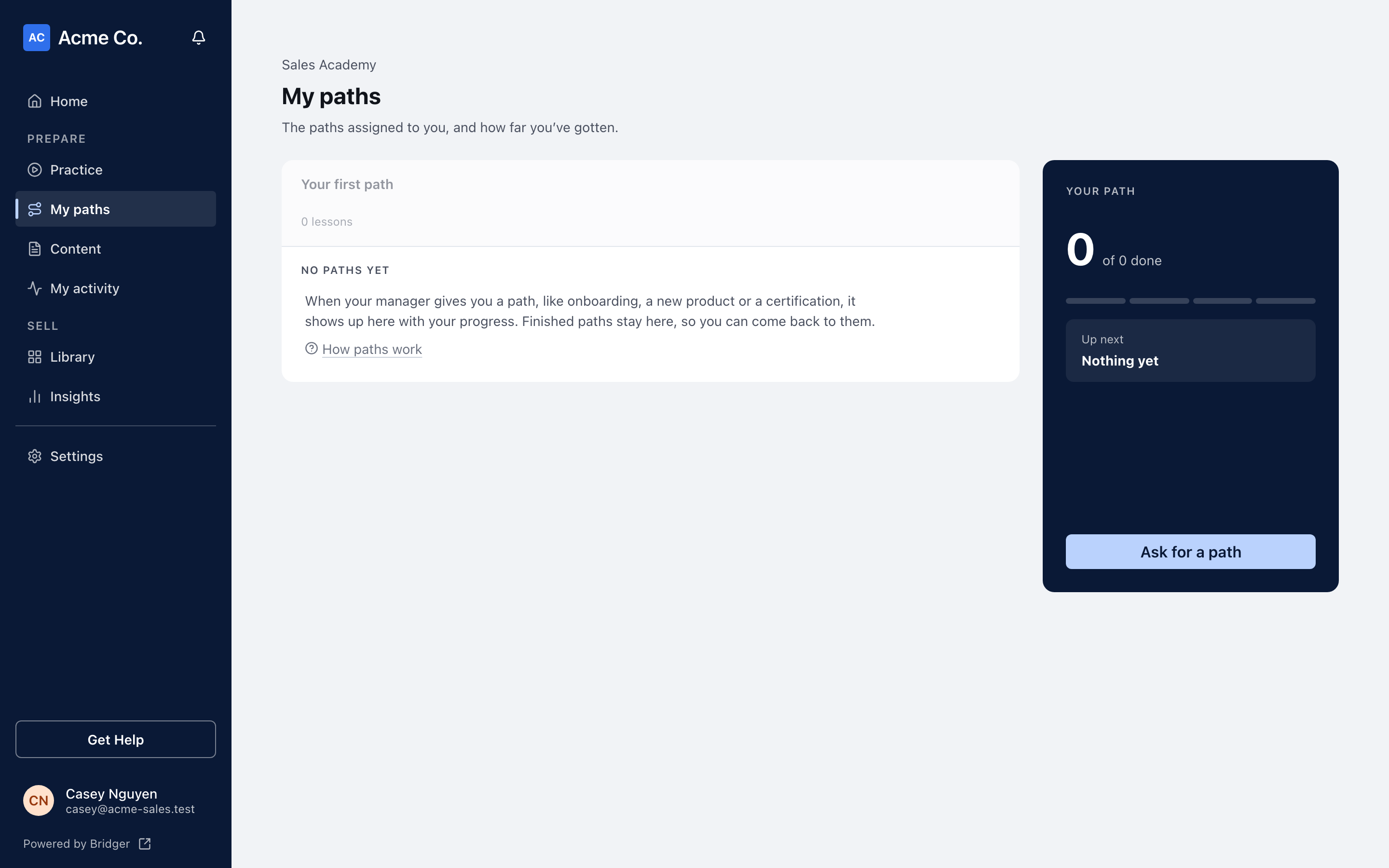
Ask for one. When you have no path, My paths shows an empty path, Your first path, with No paths yet beside it, and the panel on the right offers Ask for a path.
- On Practice, switch to My paths.
- In the Your path panel, click Ask for a path.
- Add a note under Anything they should know? (optional) if it helps, for example that you are new on the team or want to get certified.
- Click Send request. The panel then reads Asked. Your managers have been emailed.
Every coach on your team gets an email saying you asked for a path, with your note. They see it only if they have Practice coaching turned on in their notification settings, which it is by default. Asking again the same day sends nothing new. If no email went out, because you already asked today or every coach has those emails turned off, the panel says so instead: No new email went out: you already asked today, or your managers have these emails turned off. Ask one of them directly. If your team has no coach yet, the request does not send and the dialog says Nobody in this workspace is a coach yet. Tell a Workspace owner instead.
The button is on My paths only once your team has published plays. Before that, Shadowpitch opens on My paths, which says Nothing assigned yet and has no button; ask your manager directly.
Where should I start?
If you have a path, start there. Paths are the sequence your manager wants you to work through. Switch to My paths, pick the path, and click Continue path. How do I work through a path? covers the rest.
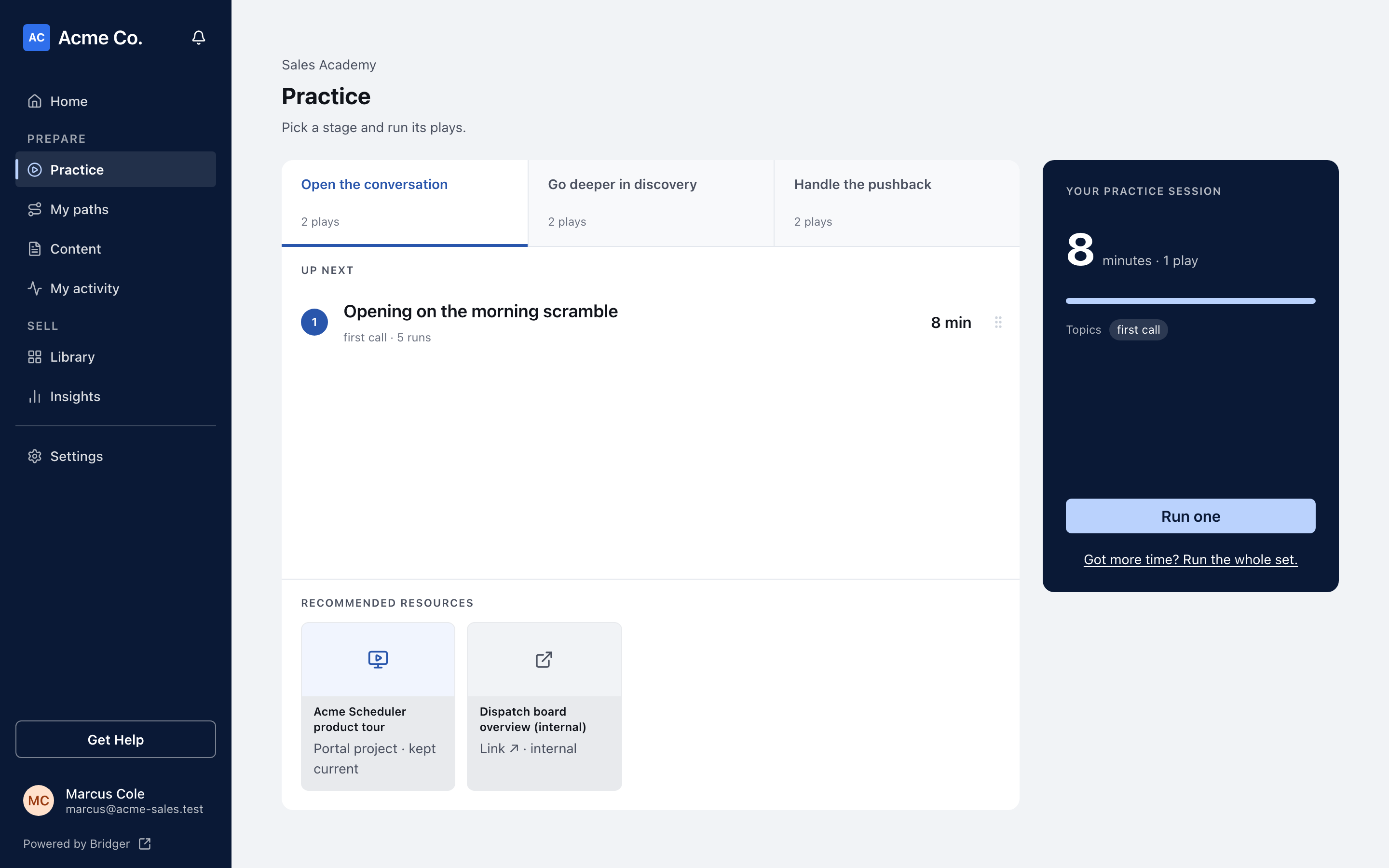
If you only have plays, start a practice session. On Sales stages, pick a stage and click Start practicing, which runs the first three plays on your agenda. Short on time? Click Short on time? Run just the first one. and the button becomes Run one. How does a practice play work? explains what happens next.
What comes after that?
The usual journey, in order:
- Work through a path and see how each step is marked complete.
- Run practice plays and grade yourself.
- Ask a manager for coaching on a take you want a second opinion on.
- Answer the checkpoints on your path.
- Get certified, if your path offers it.
This did not answer your question? Email hello@bridgercreative.com.